HTML to PDF Header and Footer Examples: Page Numbers, Logos, Dates

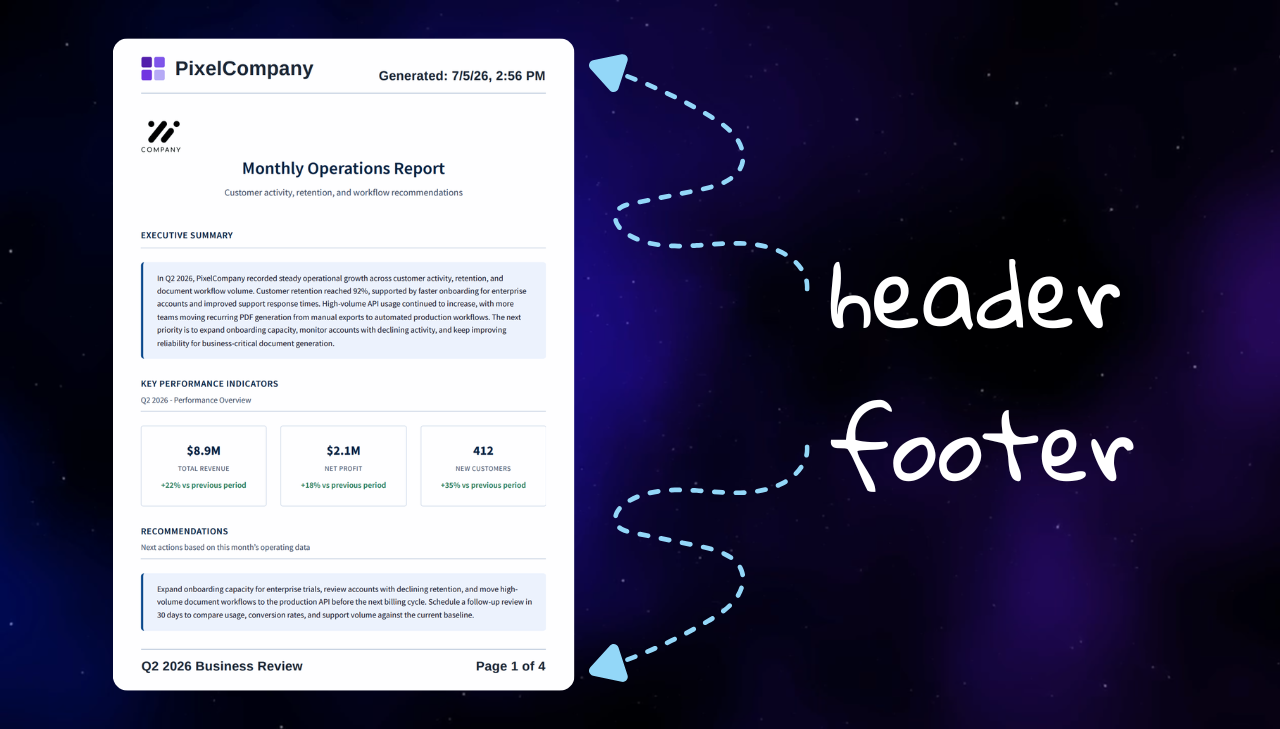
Adding a header or footer to an HTML to PDF request seems like it should be easy. You enable the option, generate a PDF, and then nothing shows up. Or the page number works, but the footer overlaps the document. Or the logo disappears because the header uses an external <img src="...">. Or you reuse CSS classes from the main page, but the header and footer cannot see those styles.
This guide gives you working HTML to PDF header and footer examples for the cases developers ask about most often: page numbers, document titles, logos, dates, invoice footers, legal headers, margins, and Base64 templates. The examples use PDFBolt's Chromium-based API, so they also feel familiar if you have used Puppeteer or Playwright.
How HTML to PDF Header and Footer Templates Work
PDFBolt uses Chromium-style print templates for headers and footers. The same class names are documented in the official Playwright page.pdf docs and Puppeteer PDFOptions docs.
In PDFBolt, turn on displayHeaderFooter, then pass headerTemplate, footerTemplate, or both.
Chromium replaces these classes while the PDF is being generated:
| Class | Replaced with |
|---|---|
date | Print date |
title | Document title from the source page |
url | Source URL |
pageNumber | Current page number |
totalPages | Total page count |
Header and footer class names are case-sensitive, so pageNumber works, but pagenumber, PageNumber, and page‑number do not.
@page, @top-center, and @bottom-center?Some print CSS tools use CSS page margin boxes for running headers and footers:
@page {
  margin: 20mm;

  @top-center {
    content: "Document title";
  }

  @bottom-center {
    content: "Page " counter(page) " of " counter(pages);
  }
}
That is CSS Paged Media syntax. In PDFBolt, use displayHeaderFooter, headerTemplate, and footerTemplate with the dedicated classes above, such as pageNumber and totalPages, for repeated headers and footers.
For the full header/footer reference, see PDF generation parameters.
Quick Example
If you only need page numbers, use pageNumber and totalPages in the footer template:
<div style="width: 100%; font-size: 11px; color: #64748b; text-align: center;">
  Page <span class="pageNumber"></span>
  of <span class="totalPages"></span>
</div>
Then add a margin in the request so the footer has room below the document content. In the example above, that means setting margin.bottom. PDFBolt accepts CSS-style units such as px, mm, cm, in.
Each example below starts with raw HTML, then shows the matching PDFBolt request body. If you are not sure whether to encode the template yourself, see the Base64 encoding section.
Paste the raw header or footer HTML into the PDFBolt Playground, set margins, and generate a PDF. It is the quickest way to check spacing, font size, logos, and colors before you wire the request into your app.
Choose a Header or Footer Example
Pick the closest use case, then copy the example and adjust the text, spacing, and colors for your document.
| Need | Use this example |
|---|---|
| Basic pagination | Page X of Y footer |
| Reports and proposals | Title + page count footer |
| Time-sensitive exports | Date + title + page count footer |
| Saved web pages | Title + URL + date header |
| Branded client PDFs | Logo header or contact footer |
| Invoices | Invoice footer |
| Legal or internal documents | Confidential header |
| Colored bands | Colored footer with print-safe background |
Example 1: Page X of Y Footer
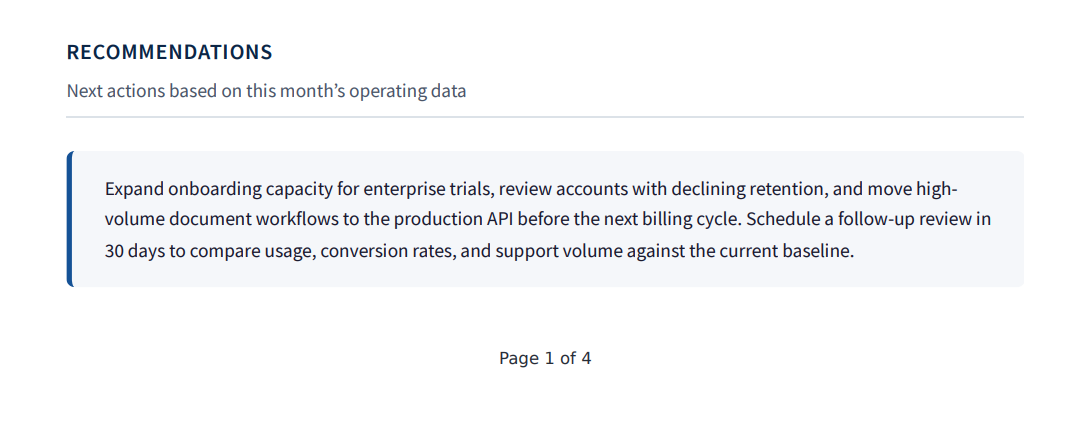
This is the footer most teams start with. It works for reports, invoices, contracts, statements, and any other generated document where readers need to know which page they are on.
<div style="width: 100%; font-size: 11px; color: #64748b; text-align: center;">
  Page <span class="pageNumber"></span>
  of <span class="totalPages"></span>
</div>
Here is the same footer in a PDFBolt API request body. The footerTemplate value is the Base64‑encoded HTML from the example above, and margin.bottom keeps it outside the main document body:
{
  "url": "https://example.com",
  "displayHeaderFooter": true,
  "footerTemplate": "PGRpdiBzdHlsZT0id2lkdGg6IDEwMCU7IGZvbnQtc2l6ZTogMTFweDsgY29sb3I6ICM2NDc0OGI7IHRleHQtYWxpZ246IGNlbnRlcjsiPgogIFBhZ2UgPHNwYW4gY2xhc3M9InBhZ2VOdW1iZXIiPjwvc3Bhbj4KICBvZiA8c3BhbiBjbGFzcz0idG90YWxQYWdlcyI+PC9zcGFuPgo8L2Rpdj4=",
  "margin": {
    "bottom": "40px"
  }
}
Preview of the generated footer:
Example 2: Document Title and Page Count Footer
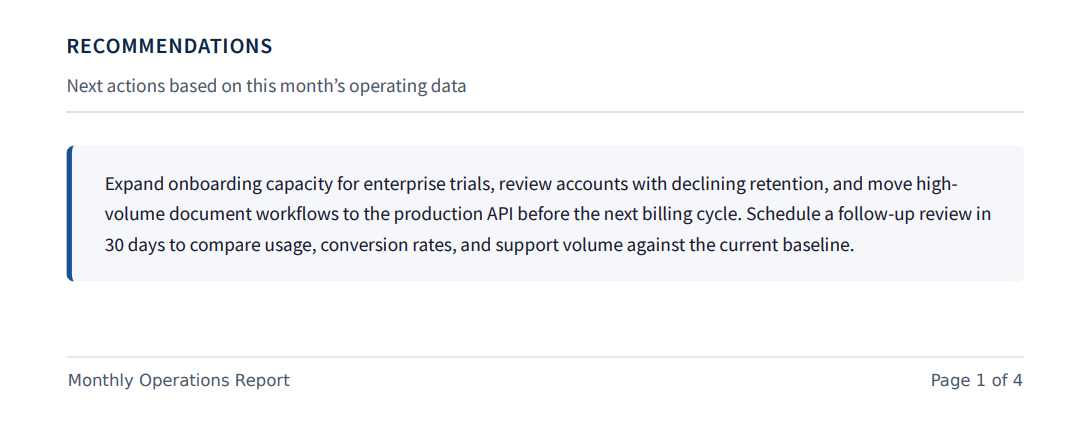
Some generated documents need more than page numbers. A report, proposal, or contract is easier to identify later when every page includes the document title.
<div style="width: 100%; display: flex; justify-content: space-between; align-items: center; font-size: 11px; color: #475569; border-top: 1px solid #e2e8f0; padding-top: 10px; margin: 0 50px;">
  <span class="title"></span>
  <span>
    Page <span class="pageNumber"></span>
    of <span class="totalPages"></span>
  </span>
</div>
Set a <title> in your source HTML if you want the title value to be useful:
<!doctype html>
<html>
  <head>
    <title>Monthly Operations Report</title>
  </head>
  <body>
    <!-- Full report content goes here. -->
  </body>
</html>
Encode your source document for the html field. Keep the footerTemplate Base64-encoded:
{
  "html": "BASE64_ENCODED_DOCUMENT_HTML",
  "displayHeaderFooter": true,
  "footerTemplate": "PGRpdiBzdHlsZT0id2lkdGg6IDEwMCU7IGRpc3BsYXk6IGZsZXg7IGp1c3RpZnktY29udGVudDogc3BhY2UtYmV0d2VlbjsgYWxpZ24taXRlbXM6IGNlbnRlcjsgZm9udC1zaXplOiAxMXB4OyBjb2xvcjogIzQ3NTU2OTsgYm9yZGVyLXRvcDogMXB4IHNvbGlkICNlMmU4ZjA7IHBhZGRpbmctdG9wOiAxMHB4OyBtYXJnaW46IDAgNTBweDsiPgogIDxzcGFuIGNsYXNzPSJ0aXRsZSI+PC9zcGFuPgogIDxzcGFuPgogICAgUGFnZSA8c3BhbiBjbGFzcz0icGFnZU51bWJlciI+PC9zcGFuPgogICAgb2YgPHNwYW4gY2xhc3M9InRvdGFsUGFnZXMiPjwvc3Bhbj4KICA8L3NwYW4+CjwvZGl2Pg==",
  "margin": {
    "bottom": "18mm"
  }
}
Preview of the generated footer:
Example 3: Date, Title, and Page Count Footer
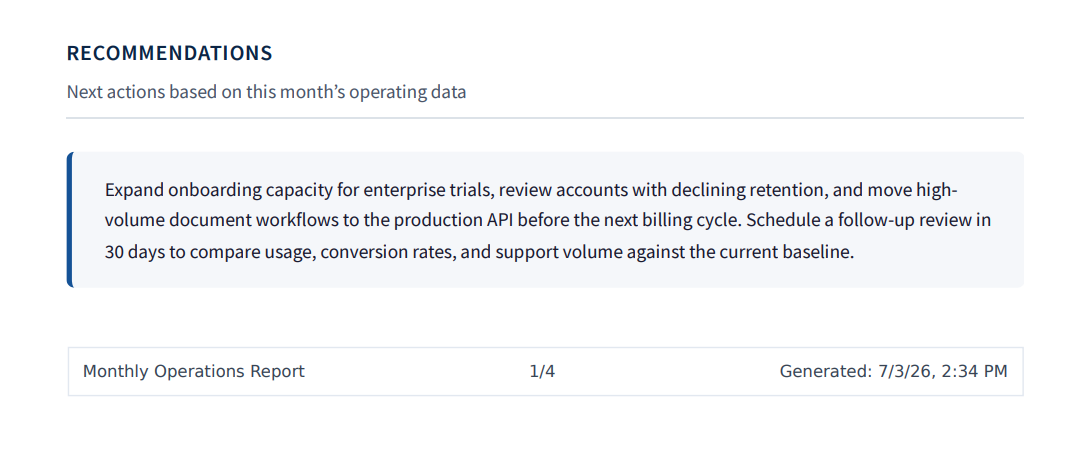
Use this version when readers need to know when the PDF was generated, such as audit reports, monthly statements, compliance exports, and internal reports.
<div style="width: 100%; display: flex; justify-content: space-between; align-items: center; font-size: 12px; color: #384454; border: 1px solid #e2e8f0; padding: 10px; margin: 0 50px 20px;">
  <span class="title"></span>
  <span>
    <span class="pageNumber"></span>/<span class="totalPages"></span>
  </span>
  <span>Generated: <span class="date"></span></span>
</div>
The built-in date value is generated by Chromium at print time. The exact format depends on the renderer locale and can look like 7/3/26, 2:34 PM. If you need a specific format, timezone, invoice due date, or billing period, render that text into the footer HTML yourself before Base64 encoding it.
Use the same source HTML pattern as above, with a useful <title>, then send the footerTemplate:
{
  "html": "BASE64_ENCODED_DOCUMENT_HTML",
  "displayHeaderFooter": true,
  "footerTemplate": "PGRpdiBzdHlsZT0id2lkdGg6IDEwMCU7IGRpc3BsYXk6IGZsZXg7IGp1c3RpZnktY29udGVudDogc3BhY2UtYmV0d2VlbjsgYWxpZ24taXRlbXM6IGNlbnRlcjsgZm9udC1zaXplOiAxMnB4OyBjb2xvcjogIzM4NDQ1NDsgYm9yZGVyOiAxcHggc29saWQgI2UyZThmMDsgcGFkZGluZzogMTBweDsgbWFyZ2luOiAwIDUwcHggMjBweDsiPgogIDxzcGFuIGNsYXNzPSJ0aXRsZSI+PC9zcGFuPgogIDxzcGFuPgogICAgPHNwYW4gY2xhc3M9InBhZ2VOdW1iZXIiPjwvc3Bhbj4vPHNwYW4gY2xhc3M9InRvdGFsUGFnZXMiPjwvc3Bhbj4KICA8L3NwYW4+CiAgPHNwYW4+R2VuZXJhdGVkOiA8c3BhbiBjbGFzcz0iZGF0ZSI+PC9zcGFuPjwvc3Bhbj4KPC9kaXY+",
  "margin": {
    "bottom": "18mm"
  }
}
Preview of the generated footer:
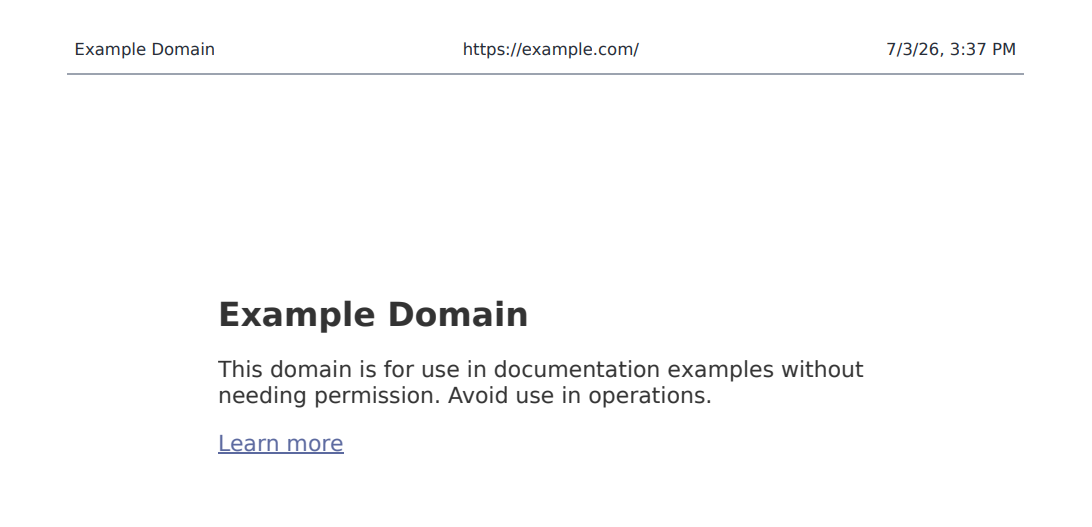
Example 4: Title, URL, and Date Header
If the PDF comes from a URL, a small metadata header can make archived pages easier to trace later. Chromium fills title, url, and date when the PDF is rendered.
<div style="width: 100%; display: flex; justify-content: space-between; align-items: center; font-size: 11px; color: #64748b; border-bottom: 1px solid #9CA3AF; margin: 0 50px; padding: 10px 5px;">
  <span class="title"></span>
  <span class="url"></span>
  <span class="date"></span>
</div>
This header is useful for web archiving, internal knowledge-base exports, support tickets, and saved dashboard views. If the URL is long, give it more room with a smaller font or move it into the footer.
Here is the same headerTemplate in a PDFBolt request:
{
  "url": "https://example.com",
  "displayHeaderFooter": true,
  "headerTemplate": "PGRpdiBzdHlsZT0id2lkdGg6IDEwMCU7IGRpc3BsYXk6IGZsZXg7IGp1c3RpZnktY29udGVudDogc3BhY2UtYmV0d2VlbjsgYWxpZ24taXRlbXM6IGNlbnRlcjsgZm9udC1zaXplOiAxMXB4OyBjb2xvcjogIzY0NzQ4YjsgYm9yZGVyLWJvdHRvbTogMXB4IHNvbGlkICM5Q0EzQUY7IG1hcmdpbjogMCA1MHB4OyBwYWRkaW5nOiAxMHB4IDVweDsiPgogIDxzcGFuIGNsYXNzPSJ0aXRsZSI+PC9zcGFuPgogIDxzcGFuIGNsYXNzPSJ1cmwiPjwvc3Bhbj4KICA8c3BhbiBjbGFzcz0iZGF0ZSI+PC9zcGFuPgo8L2Rpdj4=",
  "margin": {
    "top": "1.5cm"
  }
}
Preview of the generated header:
Example 5: Logo and Document Title Header
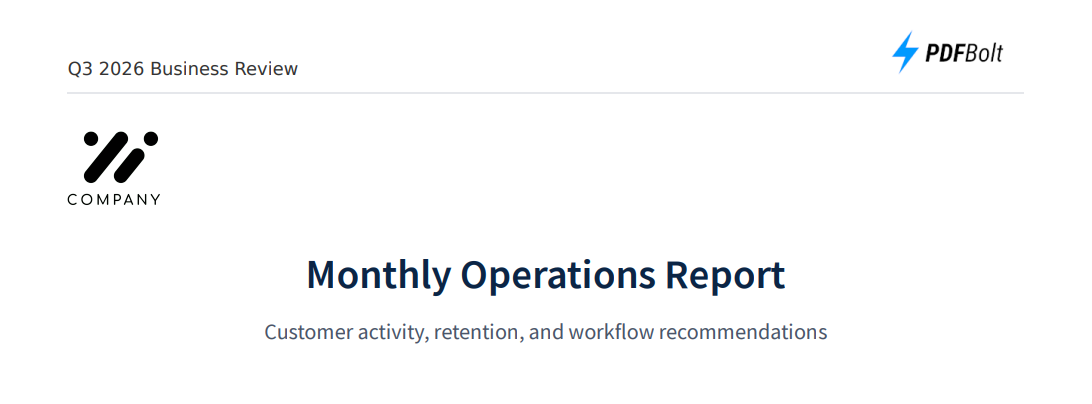
Header templates run in a separate context from the main HTML content sent in the html field. They do not inherit your page CSS. For logos, use inline SVG or a Base64 data URL instead of relying on an external image URL.
For small logos or marks, inline SVG is usually the simplest option:
<div style="width: 100%; padding-bottom: 10px; margin: 0 50px; display: flex; justify-content: space-between; align-items: flex-end; border-bottom: 1px solid #e5e7eb;">
  <span class="title" style="font-size: 12px; color: #333;"></span>

  <svg width="130" height="28" viewBox="0 0 130 28" xmlns="http://www.w3.org/2000/svg" style="display: block;">
    <rect x="0" y="6" width="8" height="8" rx="2" fill="#5b21b6" />
    <rect x="10" y="6" width="8" height="8" rx="2" fill="#8b5cf6" />
    <rect x="0" y="16" width="8" height="8" rx="2" fill="#7c3aed" />
    <rect x="10" y="16" width="8" height="8" rx="2" fill="#c4b5fd" />
    <text x="28" y="21" style="font-family: Arial, sans-serif; font-size: 15px; font-weight: 700; fill: #1f2937;">PixelCompany</text>
  </svg>
</div>
Here is the full PDFBolt request:
{
  "html": "BASE64_ENCODED_DOCUMENT_HTML",
  "displayHeaderFooter": true,
  "headerTemplate": "PGRpdiBzdHlsZT0id2lkdGg6IDEwMCU7IHBhZGRpbmctYm90dG9tOiAxMHB4OyBtYXJnaW46IDAgNTBweDsgZGlzcGxheTogZmxleDsganVzdGlmeS1jb250ZW50OiBzcGFjZS1iZXR3ZWVuOyBhbGlnbi1pdGVtczogZmxleC1lbmQ7IGJvcmRlci1ib3R0b206IDFweCBzb2xpZCAjZTVlN2ViOyI+CiAgPHNwYW4gY2xhc3M9InRpdGxlIiBzdHlsZT0iZm9udC1zaXplOiAxMnB4OyBjb2xvcjogIzMzMzsiPjwvc3Bhbj4KCiAgPHN2ZyB3aWR0aD0iMTMwIiBoZWlnaHQ9IjI4IiB2aWV3Qm94PSIwIDAgMTMwIDI4IiB4bWxucz0iaHR0cDovL3d3dy53My5vcmcvMjAwMC9zdmciIHN0eWxlPSJkaXNwbGF5OiBibG9jazsiPgogICAgPHJlY3QgeD0iMCIgeT0iNiIgd2lkdGg9IjgiIGhlaWdodD0iOCIgcng9IjIiIGZpbGw9IiM1YjIxYjYiIC8+CiAgICA8cmVjdCB4PSIxMCIgeT0iNiIgd2lkdGg9IjgiIGhlaWdodD0iOCIgcng9IjIiIGZpbGw9IiM4YjVjZjYiIC8+CiAgICA8cmVjdCB4PSIwIiB5PSIxNiIgd2lkdGg9IjgiIGhlaWdodD0iOCIgcng9IjIiIGZpbGw9IiM3YzNhZWQiIC8+CiAgICA8cmVjdCB4PSIxMCIgeT0iMTYiIHdpZHRoPSI4IiBoZWlnaHQ9IjgiIHJ4PSIyIiBmaWxsPSIjYzRiNWZkIiAvPgogICAgPHRleHQgeD0iMjgiIHk9IjIxIiBzdHlsZT0iZm9udC1mYW1pbHk6IEFyaWFsLCBzYW5zLXNlcmlmOyBmb250LXNpemU6IDE1cHg7IGZvbnQtd2VpZ2h0OiA3MDA7IGZpbGw6ICMxZjI5Mzc7Ij5QaXhlbENvbXBhbnk8L3RleHQ+CiAgPC9zdmc+CjwvZGl2Pg==",
  "margin": {
    "top": "1in"
  }
}
Preview of the generated header:

If your logo is a PNG or JPG file, use the same header layout and replace the inline SVG with a Base64 data URL:
<div style="width: 100%; padding-bottom: 10px; margin: 0 50px; display: flex; justify-content: space-between; align-items: flex-end; border-bottom: 1px solid #e5e7eb;">
  <span class="title" style="font-size: 12px; color: #333;"></span>

  <img
    src="data:image/png;base64,LOGO_BASE64_HERE"
    style="height: 35px; width: auto;"
    alt="Company logo"
  />
</div>
Use the same request body as the SVG example above, then Base64-encode this updated header HTML before sending it as headerTemplate.
Preview of the Base64 logo version:
Example 6: Branded Contact Footer
Use this pattern for invoices, client reports, receipts, and PDF exports sent to customers or partners. Keep it compact so the contact details stay available without distracting from the document.
<div style="width: 100%; display: flex; justify-content: space-between; align-items: center; font-size: 12px; color: #000; padding: 10px 5px; margin: 0 50px; border-top: 1px solid #cbd5e1;">
  <span style="font-weight: 600; color: #0f172a;">Acme Reports</span>
  <span>[email protected] | +1 555 0100</span>
  <span>
    Page <span class="pageNumber"></span>
    of <span class="totalPages"></span>
  </span>
</div>
Here is the full PDFBolt request:
{
  "html": "BASE64_ENCODED_DOCUMENT_HTML",
  "displayHeaderFooter": true,
  "footerTemplate": "PGRpdiBzdHlsZT0id2lkdGg6IDEwMCU7IGRpc3BsYXk6IGZsZXg7IGp1c3RpZnktY29udGVudDogc3BhY2UtYmV0d2VlbjsgYWxpZ24taXRlbXM6IGNlbnRlcjsgZm9udC1zaXplOiAxMnB4OyBjb2xvcjogIzAwMDsgcGFkZGluZzogMTBweCA1cHg7IG1hcmdpbjogMCA1MHB4OyBib3JkZXItdG9wOiAxcHggc29saWQgI2NiZDVlMTsiPgogIDxzcGFuIHN0eWxlPSJmb250LXdlaWdodDogNjAwOyBjb2xvcjogIzBmMTcyYTsiPkFjbWUgUmVwb3J0czwvc3Bhbj4KICA8c3Bhbj5zdXBwb3J0QGV4YW1wbGUuY29tIHwgKzEgNTU1IDAxMDA8L3NwYW4+CiAgPHNwYW4+CiAgICBQYWdlIDxzcGFuIGNsYXNzPSJwYWdlTnVtYmVyIj48L3NwYW4+CiAgICBvZiA8c3BhbiBjbGFzcz0idG90YWxQYWdlcyI+PC9zcGFuPgogIDwvc3Bhbj4KPC9kaXY+",
  "margin": {
    "bottom": "60px"
  }
}
Preview of the generated footer:
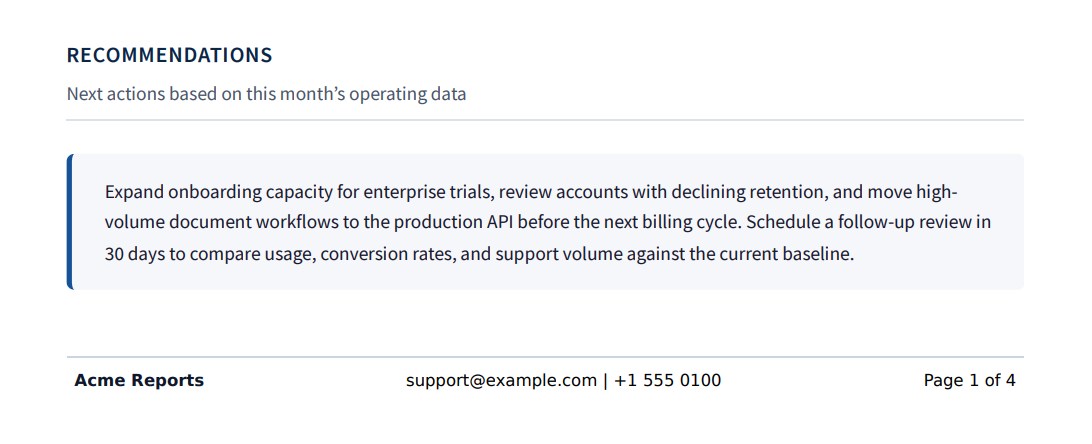
If the footer wraps on narrow page sizes, shorten the contact text or split it into two lines. Do not rely on very small font sizes. The footer still needs to be readable in the final PDF.
Example 7: Invoice Footer
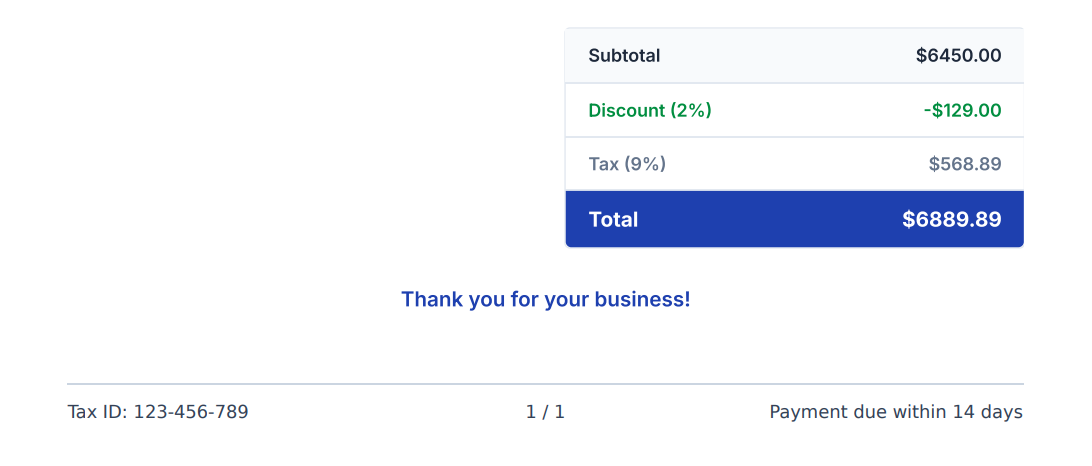
Use an invoice footer for short details that should repeat on every page, such as tax information, payment terms, and page numbers. Keep line items, totals, and payment instructions in the main invoice body.
<div style="width: 100%; border-top: 1px solid #cbd5e1; padding-top: 10px; font-size: 12px; color: #334155; margin: 0 50px; display: grid; grid-template-columns: 1fr auto 1fr; align-items: center;">
  <span>Tax ID: 123-456-789</span>
  <span>
    <span class="pageNumber"></span>
    / <span class="totalPages"></span>
  </span>
  <span style="text-align: right;">Payment due within 14 days</span>
</div>
Here is the full PDFBolt request:
{
  "html": "BASE64_ENCODED_DOCUMENT_HTML",
  "displayHeaderFooter": true,
  "footerTemplate": "PGRpdiBzdHlsZT0id2lkdGg6IDEwMCU7IGJvcmRlci10b3A6IDFweCBzb2xpZCAjY2JkNWUxOyBwYWRkaW5nLXRvcDogMTBweDsgZm9udC1zaXplOiAxMnB4OyBjb2xvcjogIzMzNDE1NTsgbWFyZ2luOiAwIDUwcHg7IGRpc3BsYXk6IGdyaWQ7IGdyaWQtdGVtcGxhdGUtY29sdW1uczogMWZyIGF1dG8gMWZyOyBhbGlnbi1pdGVtczogY2VudGVyOyI+CiAgPHNwYW4+VGF4IElEOiAxMjMtNDU2LTc4OTwvc3Bhbj4KICA8c3Bhbj4KICAgIDxzcGFuIGNsYXNzPSJwYWdlTnVtYmVyIj48L3NwYW4+CiAgICAvIDxzcGFuIGNsYXNzPSJ0b3RhbFBhZ2VzIj48L3NwYW4+CiAgPC9zcGFuPgogIDxzcGFuIHN0eWxlPSJ0ZXh0LWFsaWduOiByaWdodDsiPlBheW1lbnQgZHVlIHdpdGhpbiAxNCBkYXlzPC9zcGFuPgo8L2Rpdj4=",
  "margin": {
    "bottom": "55px"
  }
}
Preview of the generated footer:
For complete invoice designs, see PDF invoice templates.
Example 8: Legal or Confidential Header
Use this header when a document needs a visible confidentiality label on every page, such as legal files, HR documents, internal finance reports, or security exports.
<div style="width: 100%; background: #111827; color: #ffffff; font-size: 12px; font-weight: 600; text-align: center; padding: 10px 0; margin-top: -20px; -webkit-print-color-adjust: exact;">
  CONFIDENTIAL DOCUMENT - <span class="title"></span>
</div>
margin-top: -20px makes the band start at the top edge. If it gets clipped, increase margin.top or remove the negative margin.
Here is the full PDFBolt request:
{
  "html": "BASE64_ENCODED_DOCUMENT_HTML",
  "displayHeaderFooter": true,
  "headerTemplate": "PGRpdiBzdHlsZT0id2lkdGg6IDEwMCU7IGJhY2tncm91bmQ6ICMxMTE4Mjc7IGNvbG9yOiAjZmZmZmZmOyBmb250LXNpemU6IDEycHg7IGZvbnQtd2VpZ2h0OiA2MDA7IHRleHQtYWxpZ246IGNlbnRlcjsgcGFkZGluZzogMTBweCAwOyBtYXJnaW4tdG9wOiAtMjBweDsgLXdlYmtpdC1wcmludC1jb2xvci1hZGp1c3Q6IGV4YWN0OyI+CiAgQ09ORklERU5USUFMIERPQ1VNRU5UIC0gPHNwYW4gY2xhc3M9InRpdGxlIj48L3NwYW4+CjwvZGl2Pg==",
  "printBackground": true,
  "margin": {
    "top": "2cm"
  }
}
Preview of the generated header:

If your header or footer uses background colors, keep printBackground: true in the request and add -webkit-print-color-adjust: exact; to the element with the background. Chromium may otherwise remove, lighten, or alter backgrounds during PDF print rendering.
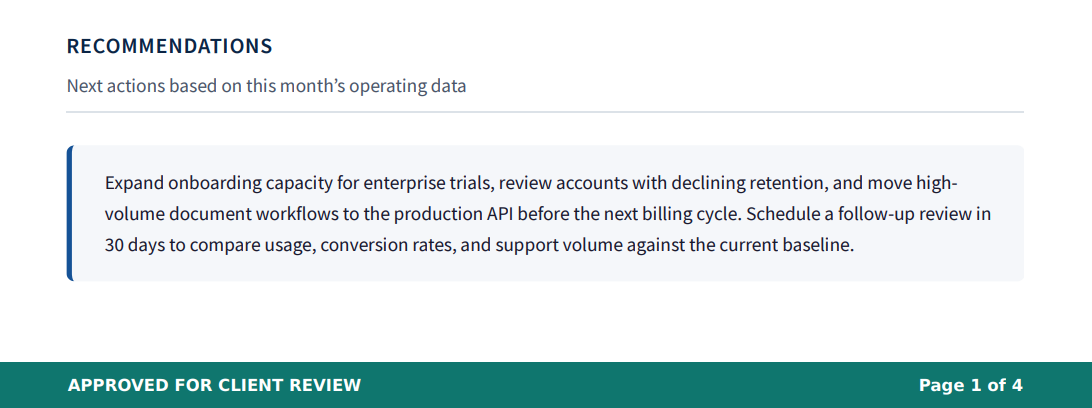
Example 9: Colored Footer with Print-Safe Background
Use a colored footer when the PDF needs a visible status marker, brand band, or repeated document label. Keep the text short so the footer stays readable.
<div style="width: 100%; background: #0f766e; color: #ffffff; font-size: 12px; font-weight: 600; padding: 10px 50px; margin-bottom: -20px; display: flex; justify-content: space-between; -webkit-print-color-adjust: exact;">
  <span>APPROVED FOR CLIENT REVIEW</span>
  <span>
    Page <span class="pageNumber"></span>
    of <span class="totalPages"></span>
  </span>
</div>
margin-bottom: -20px makes the band sit flush with the bottom edge. If it gets clipped, increase margin.bottom.
Here is the full PDFBolt request:
{
  "html": "BASE64_ENCODED_DOCUMENT_HTML",
  "displayHeaderFooter": true,
  "footerTemplate": "PGRpdiBzdHlsZT0id2lkdGg6IDEwMCU7IGJhY2tncm91bmQ6ICMwZjc2NmU7IGNvbG9yOiAjZmZmZmZmOyBmb250LXNpemU6IDEycHg7IGZvbnQtd2VpZ2h0OiA2MDA7IHBhZGRpbmc6IDEwcHggNTBweDsgbWFyZ2luLWJvdHRvbTogLTIwcHg7IGRpc3BsYXk6IGZsZXg7IGp1c3RpZnktY29udGVudDogc3BhY2UtYmV0d2VlbjsgLXdlYmtpdC1wcmludC1jb2xvci1hZGp1c3Q6IGV4YWN0OyI+CiAgPHNwYW4+QVBQUk9WRUQgRk9SIENMSUVOVCBSRVZJRVc8L3NwYW4+CiAgPHNwYW4+CiAgICBQYWdlIDxzcGFuIGNsYXNzPSJwYWdlTnVtYmVyIj48L3NwYW4+CiAgICBvZiA8c3BhbiBjbGFzcz0idG90YWxQYWdlcyI+PC9zcGFuPgogIDwvc3Bhbj4KPC9kaXY+",
  "printBackground": true,
  "margin": {
    "bottom": "55px"
  }
}
Preview of the generated footer:
DinkToPdf and wkhtmltopdf Placeholder Mapping
If you already use DinkToPdf FooterSettings or wkhtmltopdf text headers and footers, you can keep the same layout idea and replace the placeholder syntax. wkhtmltopdf uses placeholders such as [page] and [topage]. DinkToPdf examples often use [page] and [toPage]. PDFBolt uses Chromium HTML template classes.
| wkhtmltopdf or DinkToPdf | PDFBolt / Chromium |
|---|---|
[page] | <span class="pageNumber"></span> |
[topage] or [toPage] | <span class="totalPages"></span> |
[date] | <span class="date"></span> |
[title] or [doctitle] | <span class="title"></span> |
[webpage] | <span class="url"></span> |
So this DinkToPdf footer:
FooterSettings = new FooterSettings
{
    Right = "Page [page] of [toPage]"
}
becomes this PDFBolt footer template:
<div style="width: 100%; font-size: 11px; text-align: right; margin: 0 50px;">
  Page <span class="pageNumber"></span>
  of <span class="totalPages"></span>
</div>
You do not need a PagesCount setting for this in PDFBolt. Chromium calculates totalPages while rendering the PDF. If you specifically need local C# conversion, see the DinkToPdf footer and page numbers guide.
When to Base64-Encode headerTemplate and footerTemplate
At the REST API level, headerTemplate and footerTemplate must be Base64-encoded HTML strings. Low-level SDK convert() methods follow the same rule: they send values exactly as provided.
You do not need to encode header and footer templates when you use the SDK helpers. In Node.js, that means fromUrl(), fromHtml(), or fromTemplate(). In Python, that means from_url(), from_html(), or from_template(). The PDFBolt n8n community node also accepts raw header/footer HTML. For fromHtml() and from_html(), pass raw document HTML too. The SDK helper or n8n node does the encoding before calling the API.
If you use n8n's built-in HTTP Request node, you are calling the REST API directly, so encode HTML and header/footer templates yourself.
The snippets below take raw footer HTML and produce the Base64 string you can put in footerTemplate. Use the same pattern for headerTemplate.
Node.js: Create a Base64 footerTemplate
const footerHtml = `
<div style="width: 100%; font-size: 11px; text-align: center;">
  Page <span class="pageNumber"></span>
  of <span class="totalPages"></span>
</div>`;

const footerTemplate = Buffer
  .from(footerHtml, "utf8")
  .toString("base64");
Python: Create a Base64 footerTemplate
import base64

footer_html = """
<div style="width: 100%; font-size: 11px; text-align: center;">
  Page <span class="pageNumber"></span>
  of <span class="totalPages"></span>
</div>
"""

footer_template = base64.b64encode(
    footer_html.encode("utf-8")
).decode("ascii")
For SDK usage, see the Node.js SDK docs, Python SDK docs, and PHP SDK docs. For n8n, use the PDFBolt community node if you want the node to handle encoding for you.
The same displayHeaderFooter, headerTemplate, footerTemplate, and margin parameters work with /v1/direct, /v1/sync, and /v1/async. Use /v1/direct for an immediate PDF response, /v1/sync when you want a temporary documentUrl, and /v1/async for webhook-based background jobs.
Header and Footer Troubleshooting
Most broken header/footer PDFs come from a small set of issues.
1. displayHeaderFooter Is True, but No Template Is Provided
The flag enables header and footer rendering. You still need headerTemplate, footerTemplate, or both.
Add footerTemplate and a bottom margin so the footer has content and space to render:
{
  "displayHeaderFooter": true,
  "footerTemplate": "PGRpdiBzdHlsZT0id2lkdGg6IDEwMCU7IGZvbnQtc2l6ZTogMTFweDsgdGV4dC1hbGlnbjogY2VudGVyOyI+UGFnZSA8c3BhbiBjbGFzcz0icGFnZU51bWJlciI+PC9zcGFuPiBvZiA8c3BhbiBjbGFzcz0idG90YWxQYWdlcyI+PC9zcGFuPjwvZGl2Pg==",
  "margin": {
    "bottom": "40px"
  }
}
2. The Footer Is Hidden or Clipped
Headers and footers need their own margin space outside the main document body. For a small footer, start with:
{
  "margin": {
    "bottom": "40px"
  }
}
For a header and footer together, start with:
{
  "margin": {
    "top": "45px",
    "bottom": "60px"
  }
}
3. Body CSS Does Not Apply
Header and footer templates do not inherit styles from the main page. A class such as class="footer" will not pick up .footer { ... } from your document CSS. Put simple inline styles directly in the template. Avoid sending only bare spans such as <span class="title"></span>. Wrap the content in a small block element and set at least width, font-size, and text-align inline.
4. The Logo Does Not Load
Header and footer HTML is rendered in an isolated context, so external resources are not a good fit there. For logos, use an inline SVG or a Base64 data URL:
<img
  src="data:image/png;base64,LOGO_BASE64_HERE"
  style="height: 25px; width: auto;"
  alt="Company logo"
/>
5. Background Color Is Missing
Use printBackground: true in the request and add -webkit-print-color-adjust: exact; to the element with the background color.
6. Page Numbers Are Blank
Check the class names. They must be exactly pageNumber and totalPages, with the same capitalization.
If you are coming from wkhtmltopdf or DinkToPdf, use the placeholder mapping section above. PDFBolt uses Chromium HTML template classes, not square-bracket placeholders.
7. Handlebars Variables Are Not Replaced
If you use PDFBolt Templates, values such as {{customerName}} are processed in the main document HTML. They are not processed inside PDFBolt header/footer templates. If you need a customer name, invoice number, or another custom value in the header or footer, insert the final text directly into the header/footer HTML before you send the request.
8. JavaScript Does Not Run in Header/Footer Templates
JavaScript can run in the main document HTML, but not inside headerTemplate or footerTemplate. This will not replace the date:
<div style="width: 100%; font-size: 11px; text-align: center;">
  Date: <span id="document-date"></span>

  <script>
    document.getElementById("document-date").textContent =
      new Date().toLocaleDateString();
  </script>
</div>
Use a built-in Chromium class or insert the final value before sending the request:
<div style="width: 100%; font-size: 11px; text-align: center;">
  Date: <span class="date"></span>
</div>
9. Custom Fonts Do Not Load
Header and footer templates cannot load external fonts such as Google Fonts. A <link> tag or CSS @import may fail the conversion or fall back to a default font. Use system fonts such as Arial, Georgia, or Courier New instead:
<div style="width: 100%; font-family: Arial, sans-serif; font-size: 11px; text-align: center;">
  Page <span class="pageNumber"></span>
  of <span class="totalPages"></span>
</div>
10. The Title Is Blank
<span class="title"></span> uses the document <title> value. If you convert raw HTML and the page has no <title>, the title placeholder may be empty. Add a title to the source HTML:
<head>
  <title>Monthly Operations Report</title>
</head>
For the full parameter reference, see PDF generation API parameters.
FAQ
How do I add page numbers to an HTML to PDF document?
Enable displayHeaderFooter, add a footerTemplate, and use <span class="pageNumber"></span> for the current page. Use <span class="totalPages"></span> for the total page count. For REST API requests and low-level SDK convert() methods, encode the footer HTML as Base64 before sending it.
How do I show Page X of Y in a PDF footer?
Use this footer HTML: Page <span class="pageNumber"></span> of <span class="totalPages"></span>. Add a bottom margin such as 40px or 14mm so the footer is visible.
Why is my headerTemplate or footerTemplate not visible?
Check four things: displayHeaderFooter must be true, the template must be valid Base64 HTML for REST API requests or low-level SDK convert() methods, the font size and color must be visible, and the page margin must leave enough space. Body CSS does not style the header/footer area.
Can I use CSS counter(page) in a PDF header or footer?
Not inside Chromium header/footer templates. Use <span class="pageNumber"></span> and <span class="totalPages"></span> instead of CSS counters.
Can I use external CSS or images in headerTemplate?
Header and footer templates are rendered in an isolated context. Put simple styles inline. For logos, use inline SVG or a Base64 data URL instead of an external image URL.
What margin should I use for a PDF header or footer?
For a simple footer, start with margin.bottom: "40px". Increase the margin if the template contains a logo, a colored band, or two lines of text.
How do I migrate wkhtmltopdf [page] and [topage] to PDFBolt?
Replace [page] with <span class="pageNumber"></span> and [topage] with <span class="totalPages"></span>. PDFBolt uses Chromium HTML templates, so placeholders are elements with special class names rather than text tokens.
How do I migrate DinkToPdf FooterSettings to PDFBolt?
Map FooterSettings.Right = "Page [page] of [toPage]" to a footerTemplate that contains pageNumber and totalPages spans. You do not need a DinkToPdf-style PagesCount setting because Chromium calculates the total page count during rendering.
Conclusion
Headers and footers work best when you treat them as small print templates: inline styles, explicit margins, and Base64-encoded HTML. Start with the Page X of Y footer, confirm the margin is right, then add title, date, logo, or contact details.
You can test the examples in the PDFBolt Playground. When the output looks right, use the same request payload with /v1/direct, /v1/sync, or /v1/async.
To use these examples in production, create a free PDFBolt account and send your first header/footer request.