Generate PDFs with OpenClaw and PDFBolt
Connect OpenClaw to PDFBolt’s MCP server to generate PDFs from chat. Describe a quote or report, provide a web page URL to convert, or ask OpenClaw to create a reusable PDF template.
The server is hosted by PDFBolt and uses OAuth to connect to your account. You do not need a PDFBolt API key.
Before You Start
You need a PDFBolt account and OpenClaw with support for the openclaw mcp commands.
These instructions use OpenClaw locally, with the terminal and browser on the same computer.
1. Add the PDFBolt MCP Server
Run this command in your terminal:
openclaw mcp add pdfbolt \
  --url https://api.pdfbolt.com/mcp \
  --transport streamable-http \
  --auth oauth \
  --oauth-client-metadata-url https://resource.pdfbolt.com/oauth/openclaw-client-metadata.json \
  --oauth-redirect-url http://127.0.0.1:8989/oauth/callback \
  --oauth-scope pdfbolt \
  --no-probe
This adds PDFBolt to your OpenClaw MCP configuration. The --no-probe flag skips the initial connection check so you can authorize access first.
The client metadata URL points to a public file hosted by PDFBolt for OAuth sign-in. You do not need to create this file or provide a client secret.
2. Authorize PDFBolt Access
In the same terminal, run:
openclaw mcp login pdfbolt
Open the authorization URL printed in the terminal and sign in to PDFBolt if prompted. Review the requested permissions and select Allow access.
The connection grants access to PDF generation, template management, and your plan and credit usage. OpenClaw uses the PDFBolt account you authorize for these operations.
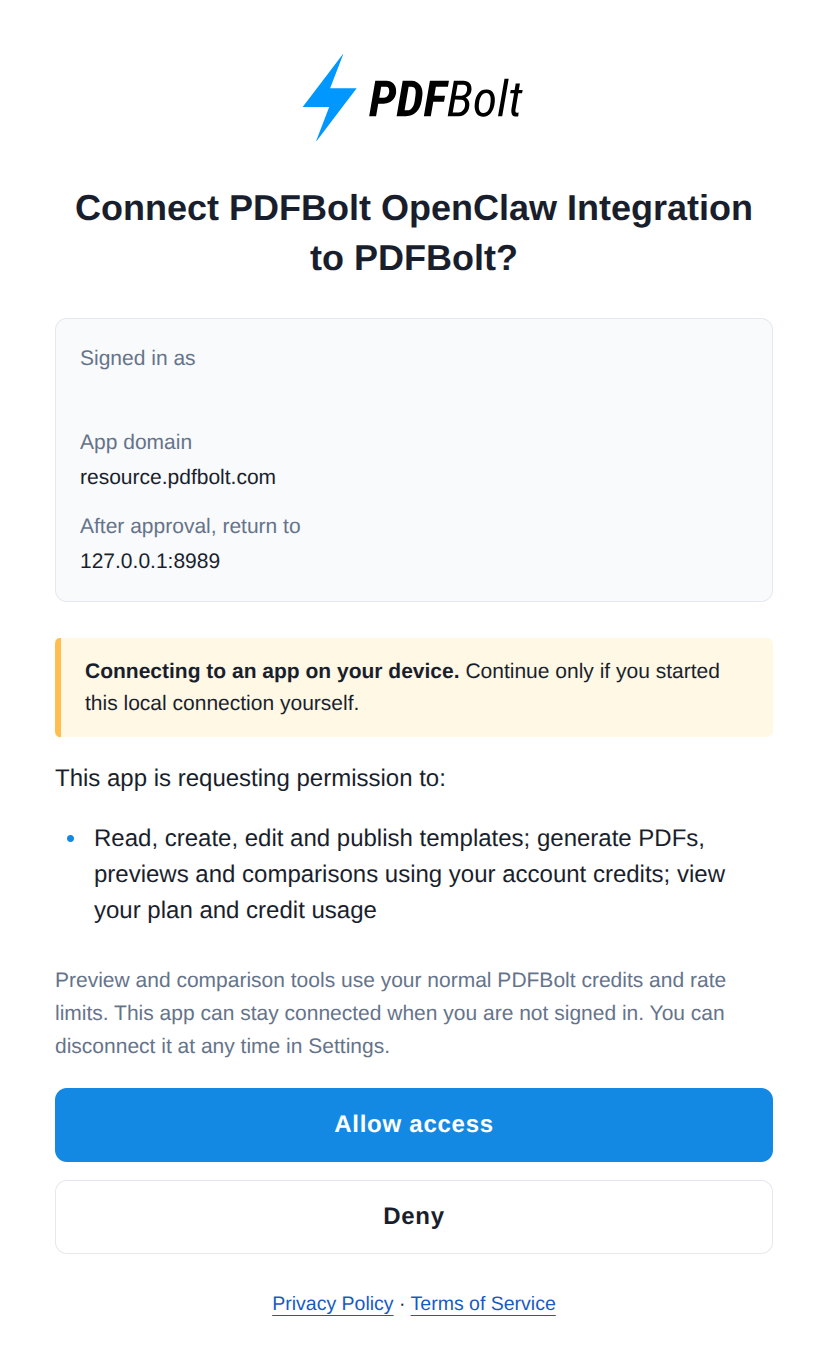
After approving access, return to the terminal and wait for OpenClaw to confirm that sign-in is complete.
3. Check the Connection
Run this command in your terminal to check the connection and list the available PDFBolt tools:
openclaw mcp probe pdfbolt
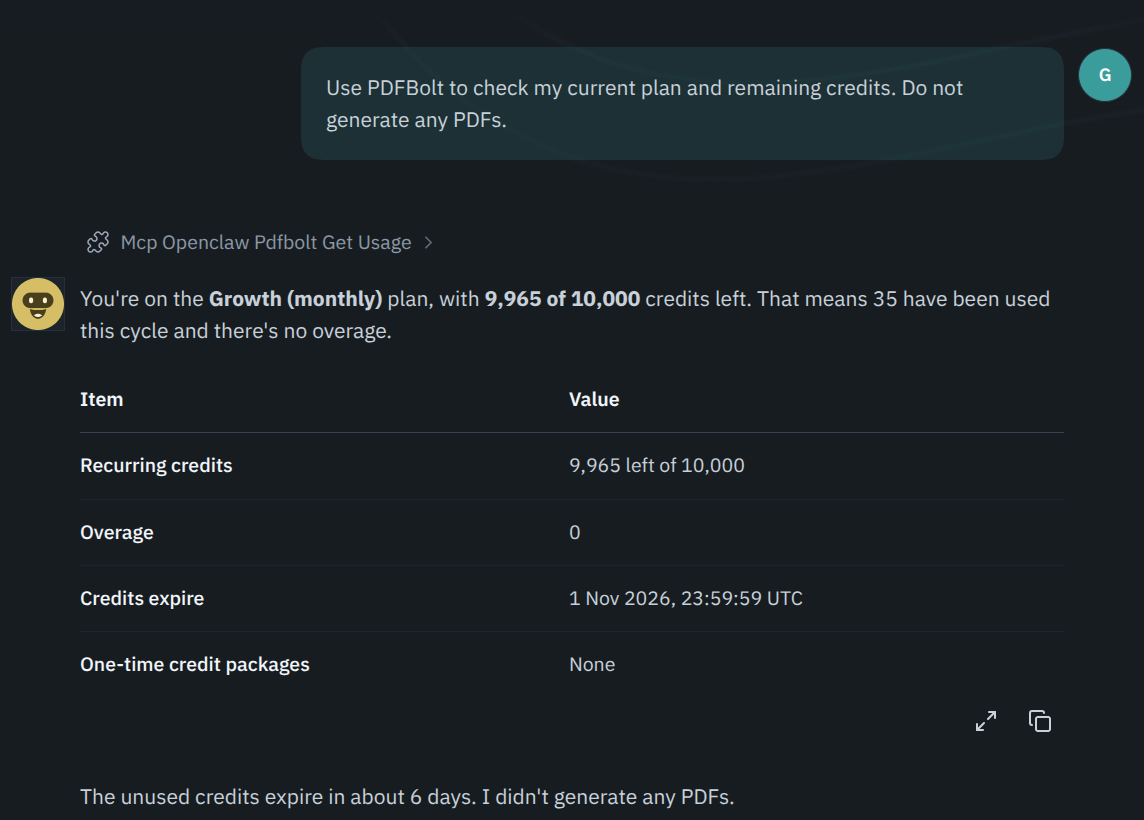
Then open the OpenClaw dashboard, start a new conversation, and send this prompt:
Use PDFBolt to check my current plan and remaining credits. Do not generate any PDFs.
OpenClaw should return your current plan and remaining credits. This confirms that the agent can use PDFBolt. Checking usage does not consume PDF generation credits.
4. Generate a PDF from a Prompt
In the same conversation, describe the content and layout of your document:
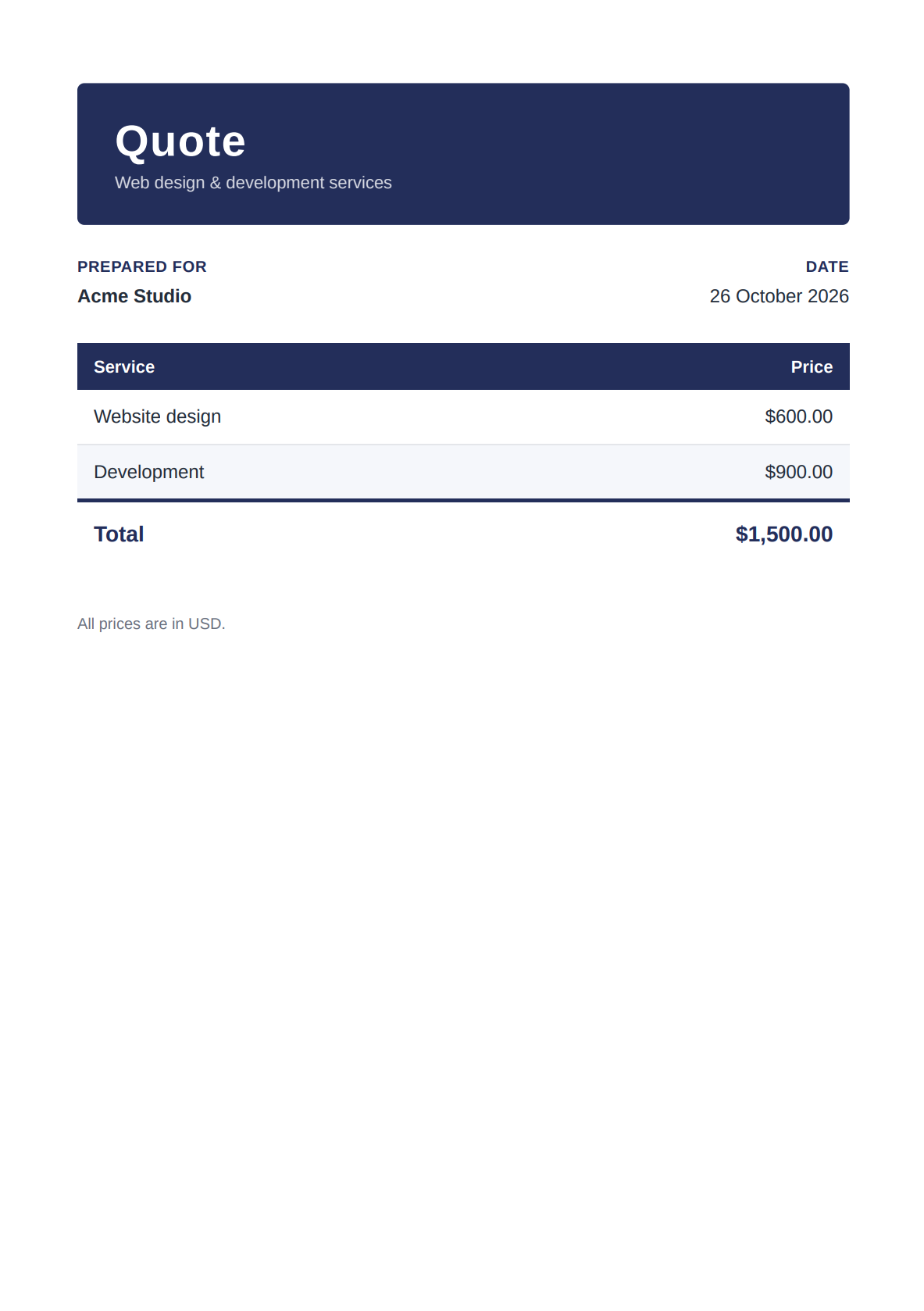
Use PDFBolt to create a one-page A4 quote for Acme Studio: website design for $600 and development for $900, totaling $1,500. Use a navy heading and a pricing table. Include all content on the page. Generate one PDF and return its download link without saving a template.
OpenClaw prepares the HTML and sends it to PDFBolt for HTML-to-PDF conversion.
Open the download link to review and save the PDF before the link expires. Generating a PDF uses your PDFBolt credits.
Troubleshooting
Login fails with “does not support dynamic client registration”
If you added PDFBolt without the client metadata URL from step 1, update the existing configuration and try signing in again:
openclaw mcp configure pdfbolt \
  --auth oauth \
  --oauth-client-metadata-url https://resource.pdfbolt.com/oauth/openclaw-client-metadata.json \
  --oauth-redirect-url http://127.0.0.1:8989/oauth/callback \
  --oauth-scope pdfbolt

openclaw mcp login pdfbolt
The connection is waiting for authorization
Run openclaw mcp login pdfbolt and complete authorization in your browser. Keep the terminal open until OpenClaw confirms that sign-in is complete, then run openclaw mcp probe pdfbolt again.
If the browser shows Connection refused after you approve access, check that the login command is still running and that you are using a browser on the same computer. If the login attempt has ended, run the login command again.
OpenClaw cannot find the PDFBolt tools
Check the configuration and test the connection in your terminal:
openclaw mcp status --verbose
openclaw mcp doctor pdfbolt --probe
Confirm that pdfbolt uses https://api.pdfbolt.com/mcp, the streamable-http transport, and OAuth. If authorization is required, run openclaw mcp login pdfbolt. Once the connection check succeeds, start a new OpenClaw conversation and send the prompt from Check the Connection again.
The generated PDF is blank or incomplete
If the PDF is blank, ask OpenClaw to check that it sent complete HTML to PDFBolt. If content is missing, ask it to check the layout and page range. A page range of 1 includes only the first page.
Ask OpenClaw to correct the HTML or export settings before generating another PDF. Each new PDF generation uses credits.
For other errors, see the MCP troubleshooting guide.
Related Documentation
📄️ PDF MCP Server
Find the tool reference, account permissions, and download behavior.
📄️ PDF Layout Options
Configure page dimensions, margins, backgrounds, and page ranges.
📄️ PDF Templates
Create drafts, preview changes, and publish reusable document layouts.